Which Purchase Paths Save the Consent Timestamp (and Which Do Not)
A quick-reference table of which purchase paths save the Checkbox Assistant consent timestamp and which do not: Buy it now, Shop Pay buttons, payment inside checkout, and settings.
The consent timestamp is saved only for orders where the customer agreed to the checkbox and then proceeded through the regular “Checkout” button. It is not saved for orders placed through buttons such as “Buy it now” or “Buy with Shop Pay”.
Purchase paths at a glance
It depends on which page the customer agreed on and which button they used to enter the checkout.
| Page where the customer agreed | Button used | Consent timestamp |
|---|---|---|
| Product page | ”Add to cart” → “Checkout” in the cart | ✅ Saved |
| Product page | ”Buy it now” | ❌ Not saved |
| Product page | Express checkout (“Buy with Shop Pay”, Apple Pay, and so on) | ❌ Not saved |
| Cart page | ”Checkout” | ✅ Saved |
| Cart page | Express checkout (“Buy with Shop Pay” and so on) | ❌ Not saved |
| Cart drawer | ”Checkout” | ✅ Saved |
| Cart drawer | Express checkout (“Buy with Shop Pay” and so on) | ❌ Not saved |
| Checkout page only (Enterprise plan) | — | ❌ Not saved |
| None (draft orders, POS, and so on) | — | ❌ Not saved |
- After proceeding through a ✅ path, the timestamp is saved even if the customer pays with Shop Pay, PayPal, Google Pay, and so on inside the checkout. The payment method does not matter.
- The ❌ paths don’t save the timestamp because they go to checkout without passing through the cart. The timestamp is recorded on the cart and carried over to the order, so due to Shopify’s specifications it cannot be kept on the order.
What the regular “Checkout” button is
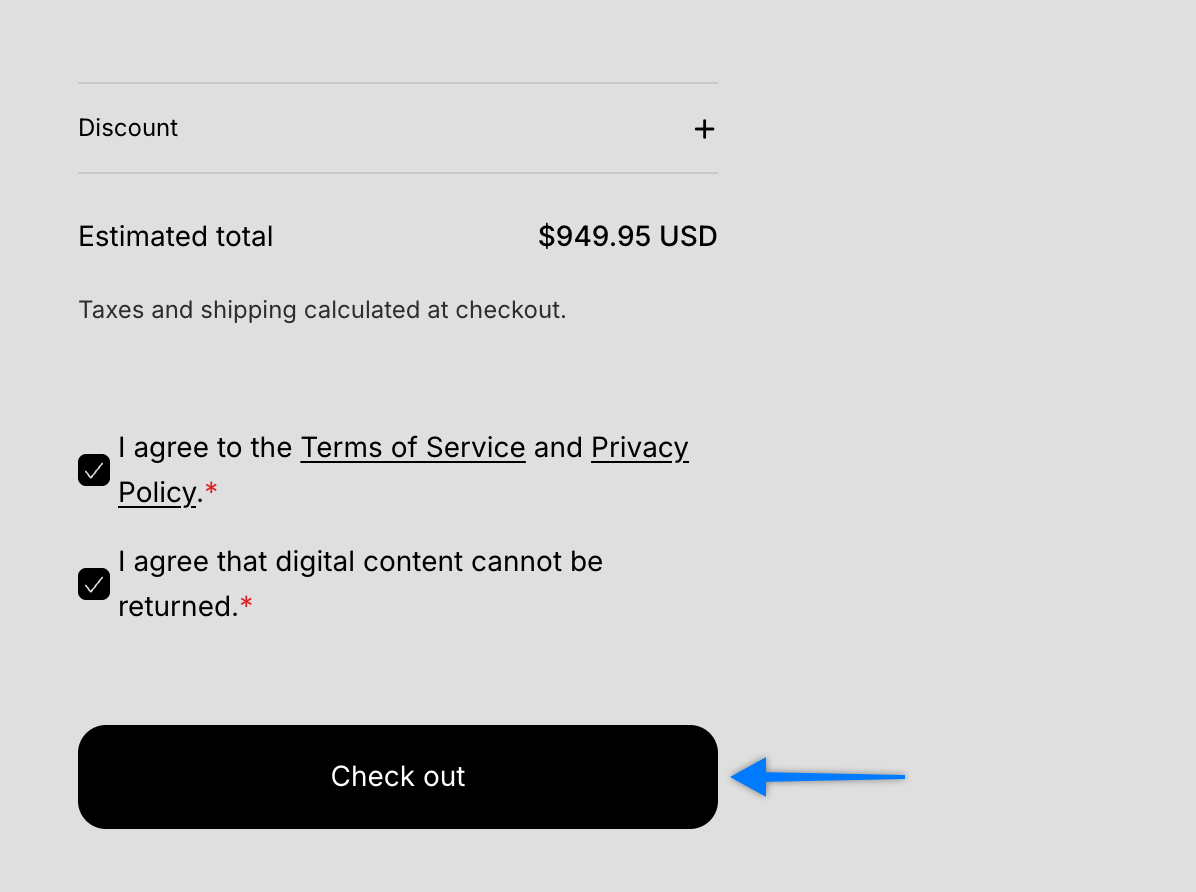
It is the button on the cart page or in the cart drawer that takes the customer to checkout. Depending on the theme, it is labeled “Checkout”, “Check out”, or similar. In the image below, it is the “Check out” button.
The product page has two buttons that lead to checkout in different ways.
- (1) “Add to cart”: The product goes into the cart. If the customer then proceeds with the “Checkout” button in the cart, the consent timestamp is saved.
- (2) “Buy it now”: The customer goes straight to checkout without passing through the cart. The consent timestamp is not saved.
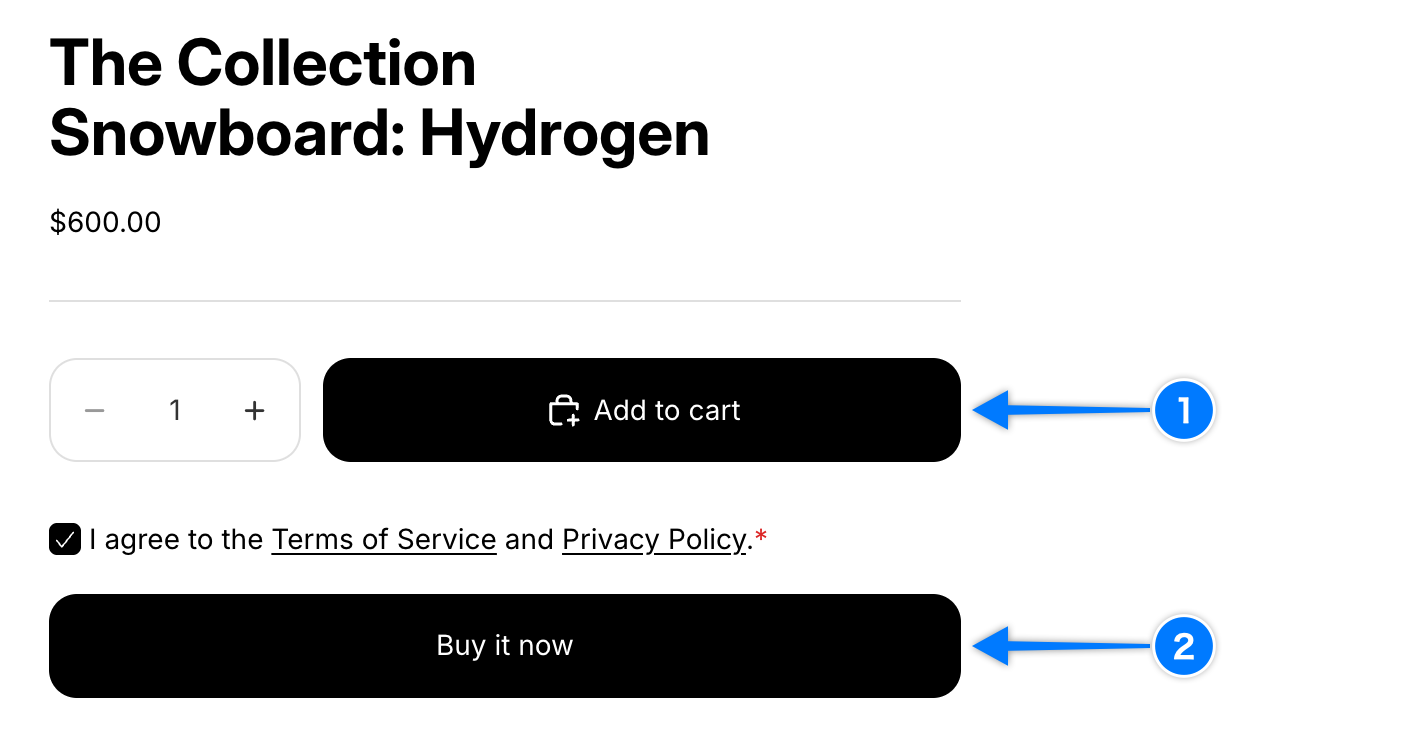
Buttons with a logo such as “Buy with Shop Pay”, PayPal, or Apple Pay (express checkout) also skip the cart, like (2), so the timestamp is not saved.
💡 Button labels and positions vary by theme and language.
Conditions for saving
The timestamp is saved on orders that meet all three conditions below. If any one is missing, it is not saved.
- “Save consent agreement date and time” is enabled in the checkbox’s Common Settings (Starter plan and above)
- The customer checked the checkbox on the product page, cart page, or cart drawer (if the checkbox is not required and the customer purchased without checking it, nothing is saved)
- The customer proceeded to purchase through the regular “Checkout” button
💡 In Group Mode (multiple checkboxes), the text of the checked checkboxes is saved with the latest consent date and time.
Common misunderstandings
- “Orders paid with Shop Pay have no timestamp”: It depends on the button used, not the payment method. An order where the customer clicked “Checkout” in the cart and then chose Shop Pay inside the checkout has a timestamp. An order placed directly from a “Buy with Shop Pay” button on the product page or cart does not.
- “An order without a timestamp was placed without agreeing”: A required checkbox must be checked before the customer can proceed, including with buttons such as “Buy it now”. The timestamp is missing because that path cannot carry it to the order.
Related pages
- To record a timestamp on every order, see How to Save the Consent Timestamp on Every Order. It hides the “Buy it now” and Shop Pay style buttons on the product page and in the cart so that all purchases go through the cart. Payment methods inside the checkout can stay as they are.
- For where the timestamp appears and its format, see Where Is the Consent Timestamp Saved and Displayed?.
- For where the setting is, see “Common Settings” in Add Checkboxes to the Product Page, Cart Page, and Cart Drawer.