How to Migrate from V1 (Legacy) to V2
Checkbox Assistant V1 (Legacy) will be discontinued on September 30, 2026. Follow this 10-minute guide to set up a V2 checkbox and turn off the legacy version before the deadline.
Checkbox Assistant V1 (Legacy) will be discontinued on September 30, 2026. After that date, V1 will be removed from the app and the checkbox will no longer appear on your store, so please migrate to V2 before the deadline. The migration takes about 10 minutes: set up a V2 checkbox, verify it, then turn off V1.
1. Check whether you are using V1
Open the app home and check whether a banner about the V1 (Legacy) discontinuation is displayed. If you see the banner, you are using V1. If there is no banner, you have already migrated to V2 and no action is needed.

2. Set up a V2 checkbox in the app admin
In the “Product & cart page checkboxes” section on the app home, click “Create Checkbox” and create a checkbox.
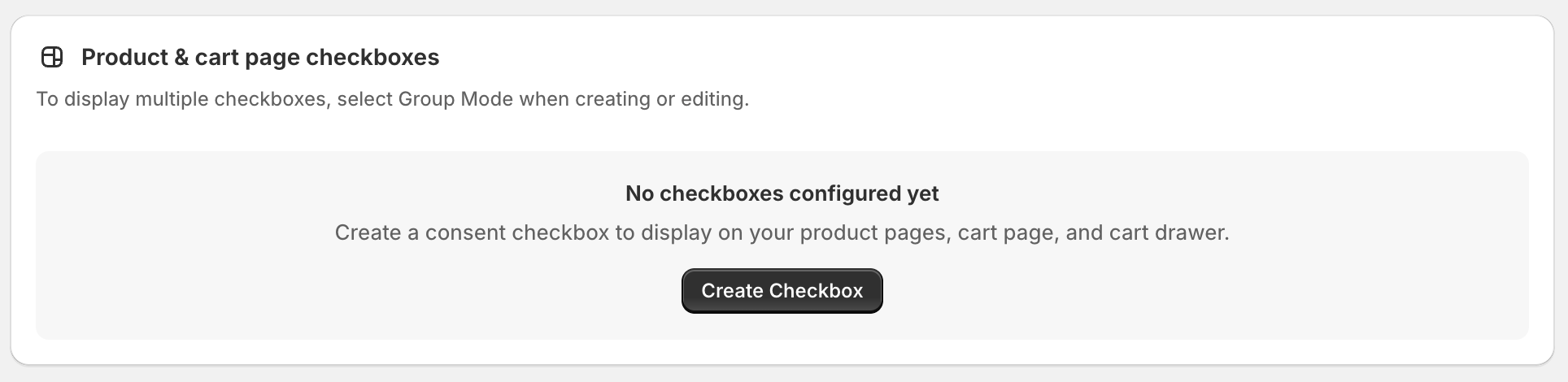
💡 The texts (consent text and error message) and display conditions you configured in the Theme Editor for V1 are not carried over automatically. Enter the same content while referring to your V1 settings.
For a detailed explanation of each setting, see Add Checkboxes to the Product Page, Cart Page, and Cart Drawer.
3. Verify the checkbox on your storefront
Open the product and cart pages and confirm that the V2 checkbox appears as expected.
💡 At this point both V1 and V2 are active, so you may see two checkboxes. This is resolved in the next step when you turn off V1.
4. Turn off V1 in the Theme Editor
In the Shopify admin, go to “Online Store” → “Themes” → “Customize” to open the Theme Editor. Open the “App embeds” panel in the left sidebar, turn off “[Legacy] Checkbox Assistant”, and click “Save” at the top right.
💡 If you can’t find it in the list, type “checkbox” in the search field to filter. Keep “Checkbox Assistant V2” turned on.
![The App embeds panel in the Theme Editor with the toggle for [Legacy] Checkbox Assistant turned off and the Save button at the top right. Checkbox Assistant V2 stays on](/help/checkbox-assistant/migrate-from-v1-to-v2/03-en.png)
5. Confirm there is no duplicate checkbox
Open the product and cart pages again and confirm that only one checkbox appears, and that an error message is shown when a customer tries to proceed to checkout without checking it.
The migration is now complete.
How V1 behaves after September 30, 2026
After the deadline, V1 (Legacy) will be removed from the app. The checkbox will no longer appear on your store, and “[Legacy] Checkbox Assistant” will also be removed from the App embeds list in the Theme Editor. No action is needed on your side to remove it.
💡 The checkout page checkbox (for Shopify Plus) is not affected by this discontinuation.
Questions or need help with the migration?
Feel free to contact us via the chat at the bottom right of the app screen. We are happy to help with the migration.